
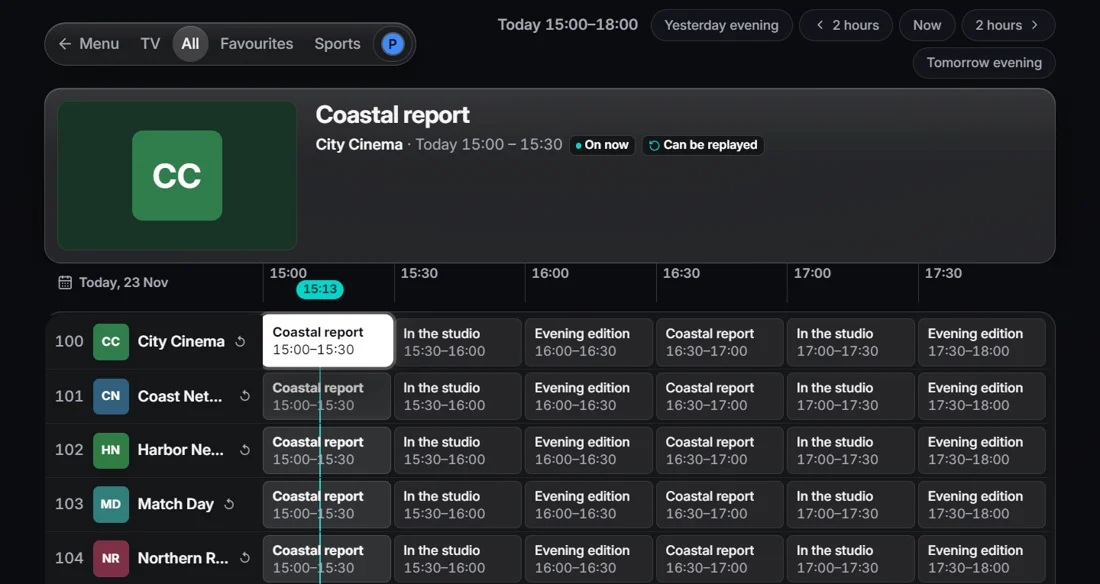
See what is on now and next
Open the guide to browse channels by time slot. Categories help narrow a long lineup. Hide countries you do not watch in Settings. When your provider supplies an archive, select an earlier programme to check replay availability.
Return to a film or episode
Browse Movies and Series separately, save favourites and return to a title from its detail page. Each playlist has a name, so you can switch sources without replacing the provider details for the first list.
Pause, rewind or record on Windows
Compatible channels support a local timeshift buffer. Windows can also save recordings while the player is open. Use the fullscreen, volume and Back controls in the same playback window.
Compare playback options